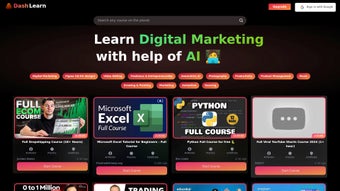

Download YTClass – AI‑Powered YouTube Learning Tool for Free
Overview
YTClass is an AI‑driven educational companion that reshapes the way learners interact with YouTube’s massive video library. By automatically filtering out unrelated comments and surfacing only the instructional content of each video, YTClass creates a focused, classroom‑like environment inside the familiar streaming platform. The core promise of the tool is to convert passive video watching into an active, structured learning journey.
When a viewer encounters a concept that isn’t clear, they can type a question directly into the side panel and receive a concise, AI‑generated answer in seconds, eliminating the need to pause, open a new tab, and search elsewhere. YTClass also builds guided learning paths that group related videos into coherent modules, each accompanied by multiple‑choice quizzes and a progress‑tracking dashboard. Upon finishing a course, the platform issues a digital certificate with a unique verification code, allowing learners to showcase their achievement on resumes or professional networks.
Whether you are a high‑school student seeking supplemental explanations, a professional upskilling in a niche technology, or a hobbyist exploring a new craft, YTClass provides the scaffolding needed to turn YouTube’s endless content into a personalized syllabus. The tool integrates seamlessly with the YouTube interface, offers secure free access, and synchronizes progress across devices, making it a compelling addition to any learner’s toolkit.
Key Features & How It Works
- AI‑powered instant doubt‑solving: ask questions and receive real‑time answers.
- Comment filtering: removes unrelated chatter for a distraction‑free view.
- Guided learning paths: auto‑generated playlists that follow a logical curriculum.
- Embedded MCQ practice: test knowledge without leaving the video.
- Progress dashboard: visual tracking of completed modules and quiz scores.
- Certificate generation: earn verified certificates after finishing a course.
- Cross‑platform sync: keep your learning state across Windows, macOS, Android, and iOS.
- Secure data handling: GDPR‑compliant encryption, no data sold to third parties.
The user experience begins with a simple sign‑in using a Google account. Once authenticated, YTClass scans the active YouTube page and offers a prominent “Start Learning Mode” button. Clicking the button opens a lightweight side panel that houses four tabs: Course View, Q&A, Practice, and Settings.
In Course View, the AI automatically groups the current video with related content, creating a logical learning path that respects prerequisite knowledge. The Q&A tab lets users type any question; the backend AI pulls information from the video transcript, reputable knowledge bases, and its own language model to craft a concise answer that stays on topic. In Practice, the tool presents a set of multiple‑choice questions derived from the video’s key concepts.
Immediate feedback is provided, and scores are logged in the Progress dashboard, which displays completion percentages, average scores, and time spent. When the learner reaches the final module, a single click on “Generate Certificate” produces a PDF with a unique verification code, allowing easy sharing on LinkedIn or personal portfolios. The entire workflow—watch, ask, practice, certify—runs smoothly without leaving the YouTube environment, making the platform feel like a dedicated e‑learning hub rather than a passive video feed.
Installation, Usage & Compatibility
Installation: YTClass is available as a free browser extension for Chrome, Edge, and Firefox, and as a native application for Windows, macOS, Android, and iOS. Desktop users download the installer from the official website, run the executable, and follow the guided wizard that verifies the digital signature, creates a toolbar icon, and prompts for Google sign‑in. Mobile users locate YTClass in the Google Play Store or Apple App Store under the “Education” category; the app size is under 50 MB, allowing quick installation even on slower connections. All installations are signed and automatically checked for updates every 24 hours, ensuring the latest AI improvements and security patches are applied without user intervention.
Usage: After launching the extension or app, users sign in with their Google credentials. The first time a YouTube video is opened, a subtle banner invites the user to enable “Learning Mode.” Acceptance expands the side panel, where three main views are available: Course View (auto‑generated playlists), Q&A (instant AI answers), and Practice (embedded quizzes). Users can toggle the panel’s width, mute AI voice feedback, or hide the panel entirely. All interactions are stored locally and synchronized to the cloud, enabling seamless continuation on another device. The interface follows a clean, minimal design language that prioritizes video content while still providing easy access to learning tools.
Compatibility: YTClass supports Windows 10/11, macOS 12 and newer, Android 8.0+, and iOS 13+. The browser extension works on Chrome 90+, Edge 90+, and Firefox 88+. Minimum system requirements are modest: 2 GB RAM and 200 MB free storage for desktop clients; mobile devices need at least 1 GB RAM and the operating‑system versions listed above. Because the AI engine runs primarily in the cloud, a stable internet connection of at least 2 Mbps is recommended for real‑time doubt solving and content syncing. The tool functions wherever YouTube is accessible, including regional versions, making it a truly global learning companion.
Pros, Cons, FAQ & Call to Action
Pros
- Transforms YouTube into a structured, interactive learning platform.
- Instant AI‑driven doubt resolution eliminates the need for external searches.
- Free core features provide high value without hidden fees.
- Cross‑platform sync ensures continuity across desktop and mobile devices.
- Secure, ad‑free environment with GDPR‑compliant data handling.
Cons
- AI answers depend on transcript accuracy; poorly captioned videos may reduce answer quality.
- Certificate customization options are limited in the free tier.
- Continuous internet connection required for AI and cloud sync.
- Advanced analytics (heatmaps, detailed study reports) are locked behind a paid plan.
Frequently Asked Questions
Is YTClass completely free to use?
Yes. All core learning tools—including AI doubt solving, guided playlists, MCQs, and progress tracking—are free. A premium tier offers branded certificates and deeper analytics for a modest monthly fee.
Can I use YTClass without a Google account?
A Google sign‑in is required to sync progress across devices and to access YouTube’s API securely. However, a “guest mode” allows a single session without saving data.
How does the AI generate answers to my questions?
The AI processes the video transcript, extracts key concepts, and cross‑references reputable knowledge bases. It then formulates concise, context‑aware answers tailored to the specific query.
Do the certificates issued by YTClass have verification?
Yes. Each certificate includes a unique verification code that can be checked on YTClass’s website, confirming the authenticity of the achievement.
Is my personal data safe with YTClass?
YTClass follows GDPR‑compliant practices. All personal data is encrypted in transit, never sold to third parties, and can be deleted at any time through the account settings.
Conclusion & Call to Action
YTClass bridges the long‑standing gap between YouTube’s vast content library and the need for a disciplined, interactive learning experience. By pairing AI‑driven doubt resolution with structured playlists, practice quizzes, and verifiable certificates, it turns passive video consumption into an outcome‑focused study routine. The free tier already delivers enough value for most learners, while the optional premium add‑ons provide professional polish for those who need it. If you’re ready to upgrade your YouTube learning sessions, download YTClass today, activate Learning Mode, and start earning certificates that showcase your new skills.



.png)



